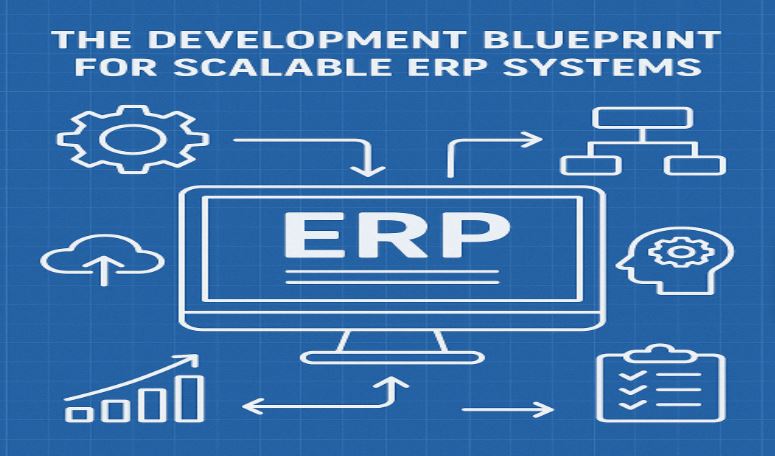
The Development Blueprint for Scalable ERP Systems
In today’s fast-paced business environment, ERP systems aren’t just tools —
they’re the backbone of operational efficiency. But not all ERP systems are built to last.
Without scalability, your ERP may struggle to keep pace with your growing company’s demands,
leading to bottlenecks, slowdowns, and costly upgrades.
So, how do you develop an ERP system that scales smoothly with your business?
Let’s explore the development blueprint for scalable ERP systems, key design principles, and
the steps to future-proof your enterprise resource planning.
What is a Scalable ERP System?
A scalable ERP system is designed to grow alongside your business, handling
increasing amounts of data, users, and transactions without sacrificing performance. Unlike
rigid legacy solutions, scalable ERP adapts to changing business requirements, integrates
new modules seamlessly, and supports expanding operations globally.
Think of it as building with Lego blocks — you start with a core foundation and
add modules or features as your company grows, without tearing down the whole system.
Why Scalability Matters in ERP Development
- Handle higher transaction volumes without lagging
- Support more simultaneous users across departments and locations
- Easily integrate new functionalities or third-party tools
- Adapt to industry changes and regulatory compliance
- Minimize downtime and costly migrations
Failing to develop a scalable ERP from the start can lead to system crashes,
data inconsistencies, and poor user experience — all impacting productivity and
profitability.
Key Elements of the Development Blueprint for Scalable ERP Systems
1. Modular Architecture
A modular design allows you to develop ERP components as independent, reusable
units that communicate through well-defined interfaces. This approach enables:
- Easy addition or removal of modules without affecting the entire system
- Parallel development and testing of features
- Simplified maintenance and upgrades
For example, finance, HR, inventory, and sales modules can operate
independently but share data via a central hub.
2. Cloud-Native and Microservices-Based
Cloud deployment offers inherent scalability, as resources can be allocated
dynamically based on demand. Building ERP on a microservices architecture means breaking
down functions into smaller services that can scale independently, enhancing fault tolerance
and deployment flexibility.
This contrasts with monolithic systems, where scaling one feature requires
scaling the whole application.
3. Robust Data Management
Scalable ERP systems handle massive datasets efficiently by:
- Using distributed databases or data lakes
- Implementing data partitioning and sharding techniques
- Optimizing queries and indexing
- Ensuring data consistency across modules
Proper data management reduces latency and prevents bottlenecks in reporting
and analytics.
4. API-First Integration Strategy
ERP systems rarely operate in isolation. A scalable ERP offers comprehensive
APIs enabling seamless integration with CRM, eCommerce, supply chain, and third-party apps.
An API-first approach facilitates:
- Smooth data exchange
- Automation of cross-platform workflows
- Rapid onboarding of new tools without disrupting operations
5. User-Centric Design and Role-Based Access
As more employees use the ERP, the system must deliver a responsive, intuitive
UI that adapts to different devices and roles. Role-based access control ensures users only
see relevant data and functions, improving security and user experience.
6. Continuous Monitoring and Optimization
Scalability is not a one-time achievement. Implementing monitoring tools that
track performance metrics, user behavior, and error rates enables proactive optimization and
capacity planning.
Step-by-Step ERP Development Blueprint for Scalability
- Step 1: Define Clear Business Requirements and Scalability Goals
Before development, align with stakeholders on expected user growth, transaction
volumes, critical processes, integration needs, and compliance standards.
- Step 2: Choose the Right Technology Stack
Select scalable technologies such as cloud platforms, microservices frameworks, scalable
databases, and containerization tools.
- Step 3: Design Modular Components with API Gateways
Break down ERP functionality into microservices/modules with clear APIs and use gateways
for routing and security.
- Step 4: Implement Secure, Scalable Data Architecture
Architect databases with partitioning, caching, and asynchronous processing while
ensuring security and backup.
- Step 5: Develop User-Friendly Interfaces and Role Management
Build responsive UIs with granular role-based permissions and conduct user testing.
- Step 6: Continuous Integration, Delivery, and Monitoring
Use CI/CD pipelines and monitoring tools like Prometheus, Grafana, or New Relic for
proactive scaling.
- Step 7: Plan for Future Growth and Regular Upgrades
Maintain modular codebases and review system capacity regularly for updates and
optimization.
Real-World Example: Scalable ERP in Action
Consider a manufacturing company expanding into new markets. Initially, their
ERP supported only finance and inventory in one region. By adopting a modular, cloud-based
ERP development blueprint, they gradually added modules for HR, sales, and supply chain. As
user load grew, auto-scaling in the cloud ensured smooth performance without downtime.
This scalable ERP system allowed the company to onboard new users and countries
quickly, avoiding costly re-implementations and disruptions.
Benefits of Following a Scalable ERP Development Blueprint
- Future-Proofing: Your ERP grows with your business, avoiding expensive reworks.
- Flexibility: Quickly adapt to new market demands or regulations.
- Cost Efficiency: Scale resources on demand, reducing infrastructure waste.
- Improved User Adoption: Intuitive interfaces and role-specific features increase
productivity.
- Integration Ready: Easily connect with other business systems for end-to-end automation.
Challenges and How to Overcome Them
- Complexity: Designing for scalability requires upfront investment in architecture and
planning. Mitigate by engaging experienced ERP developers.
- Data Migration: Scaling legacy data can be tricky. Use phased migration and data
validation strategies.
- Security Risks: More integration points mean more attack surfaces. Implement strong
encryption, authentication, and continuous auditing.
- Change Management: Users may resist new scalable features. Provide training and clear
communication.
Conclusion: Build to Scale from Day One
A scalable ERP system is no longer optional for growing businesses — it’s
essential. By following a structured development blueprint that emphasizes modular
architecture, cloud-native technologies, robust data handling, and user-centric design, your
ERP can evolve seamlessly as your business expands.
Ready to build or upgrade your scalable ERP? Learn how OlaTech Digital can help
deliver custom, future-proof ERP solutions tailored to your business needs. Visit OlaTech
Digital ERP services to get started.
FAQs
A scalable ERP uses modular architecture, cloud hosting, and optimized data
management to grow in capacity without performance loss.
Depending on complexity, timelines range from a few months to over a year.
Agile methods can speed up delivery.
Yes, if its architecture supports modularization and integration. Legacy
monolithic systems are harder to scale.
The main challenge is designing for future growth from the
start—retrofitting scalability later is costly and complex.
Cloud platforms allow on-demand resource allocation, automatic scaling, and
global accessibility, reducing infrastructure limitations.